How to allocate RTUs to a cluster #
The RTUs your organization buys are shared between your Nimbra Edge installations, which Nimbra Console lists under Clusters. You need the Administrator role to allocate them.
Add RTUs to a cluster #
-
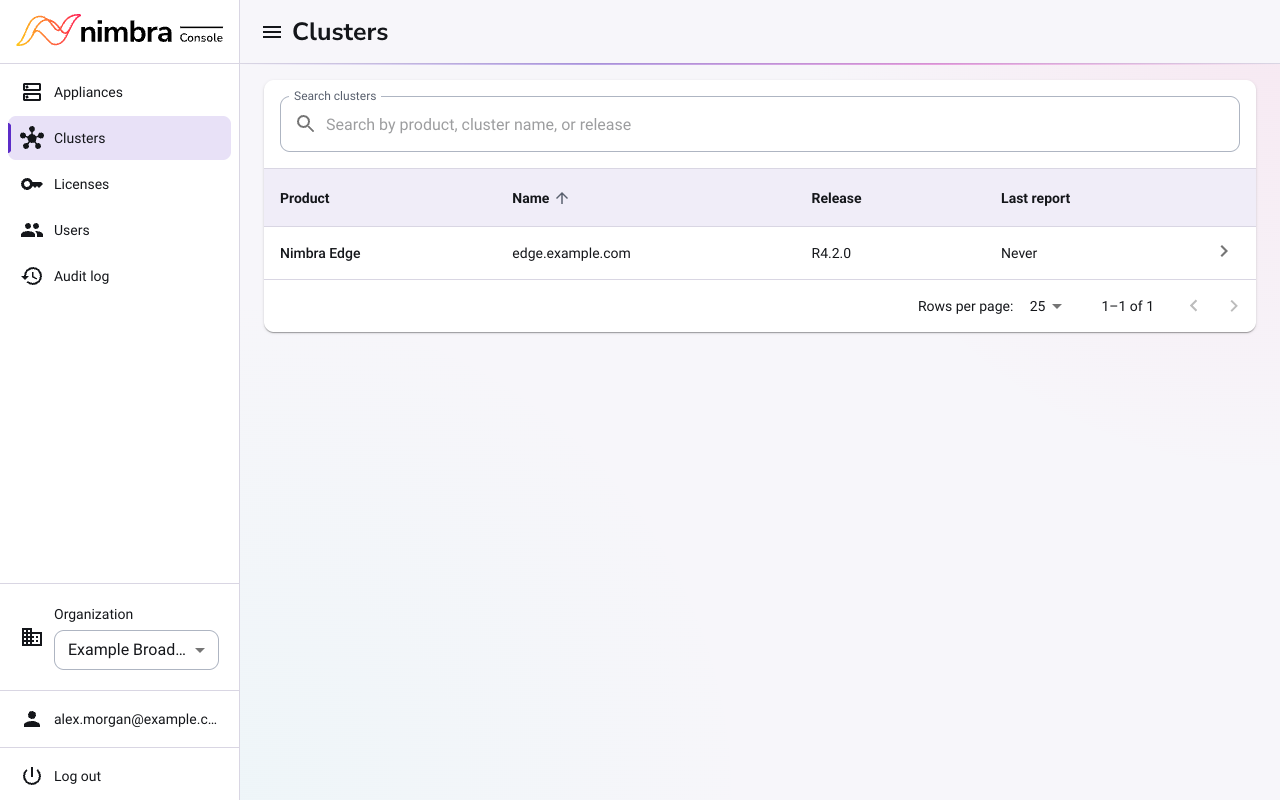
Select Clusters in the menu, and then select the cluster.
-
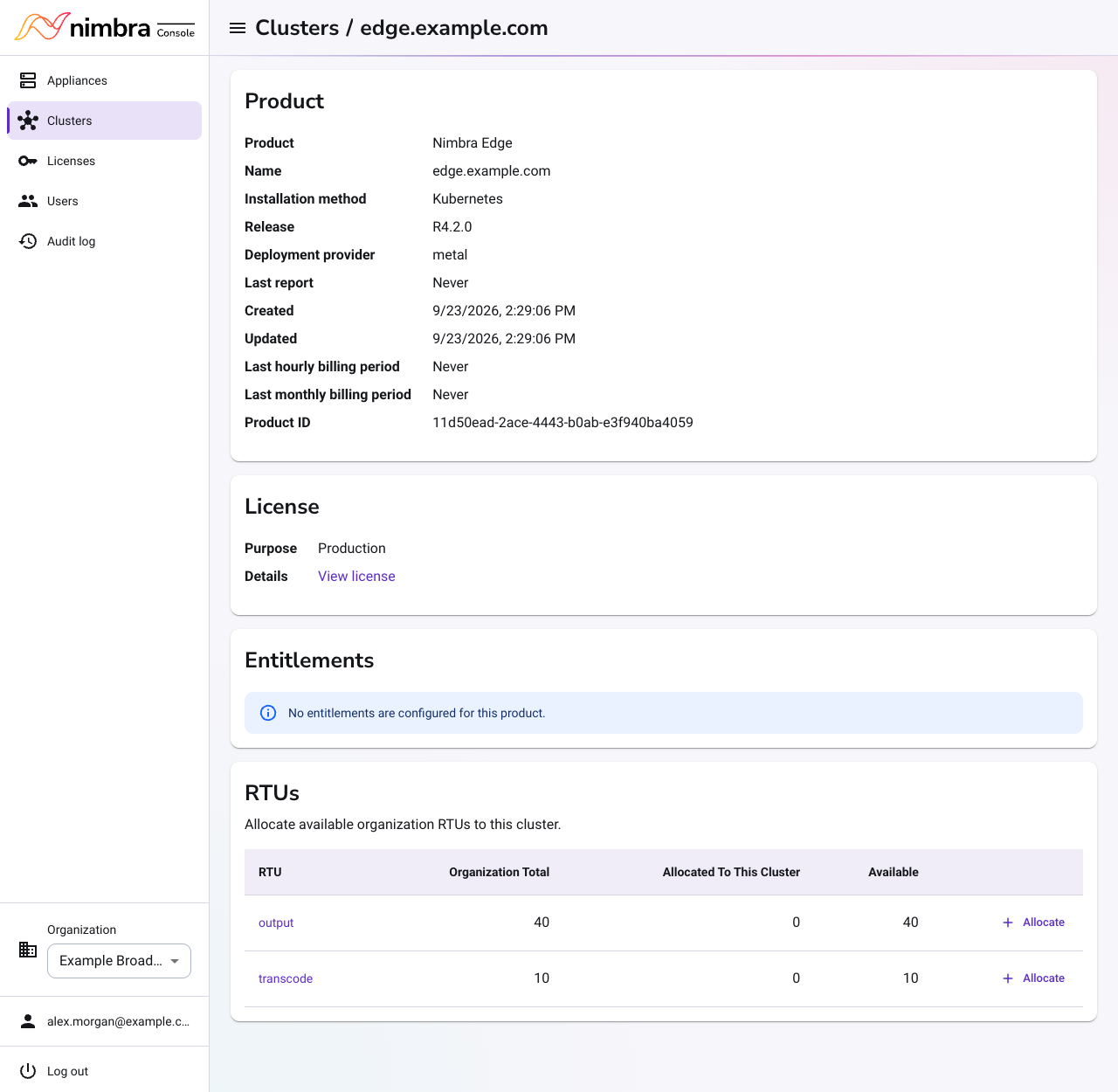
In the RTUs section, check that enough RTUs of the type you need are available.
-
Select Allocate next to the RTU type.
-
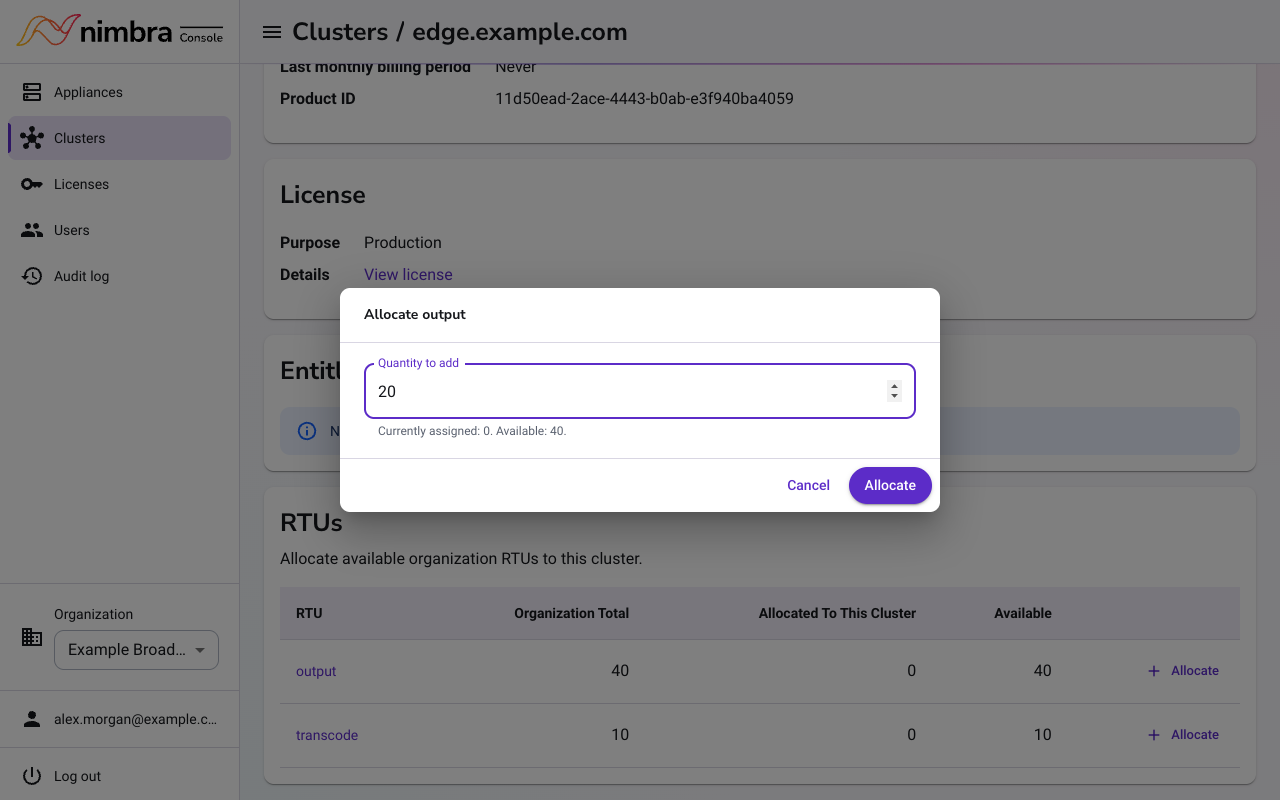
Enter the number to add in Quantity to add, and then select Allocate.
Move RTUs to another cluster #
To move RTUs from one cluster to another, first reduce them on the first cluster:
-
Select Licenses in the menu, and then select the RTU license.
-
In Edge installations using this RTU, change the quantity for the first cluster and select Save.
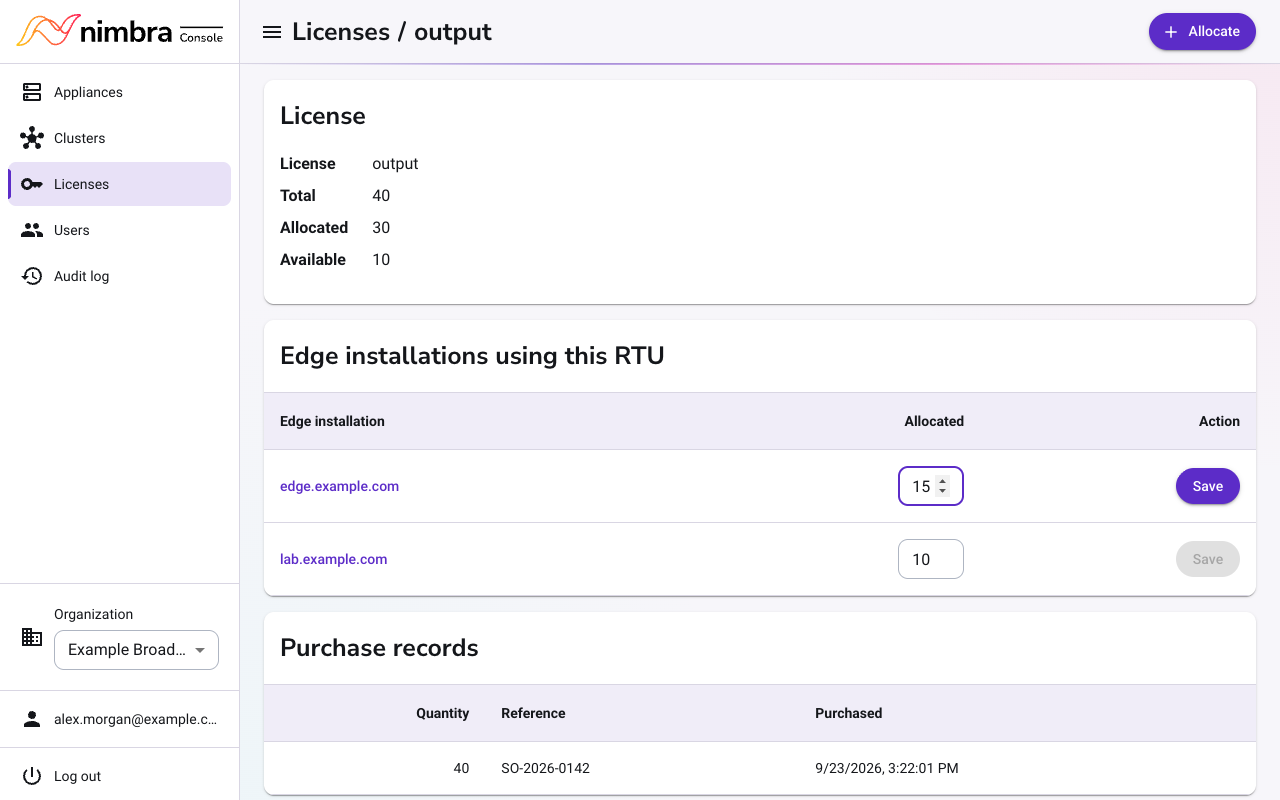
-
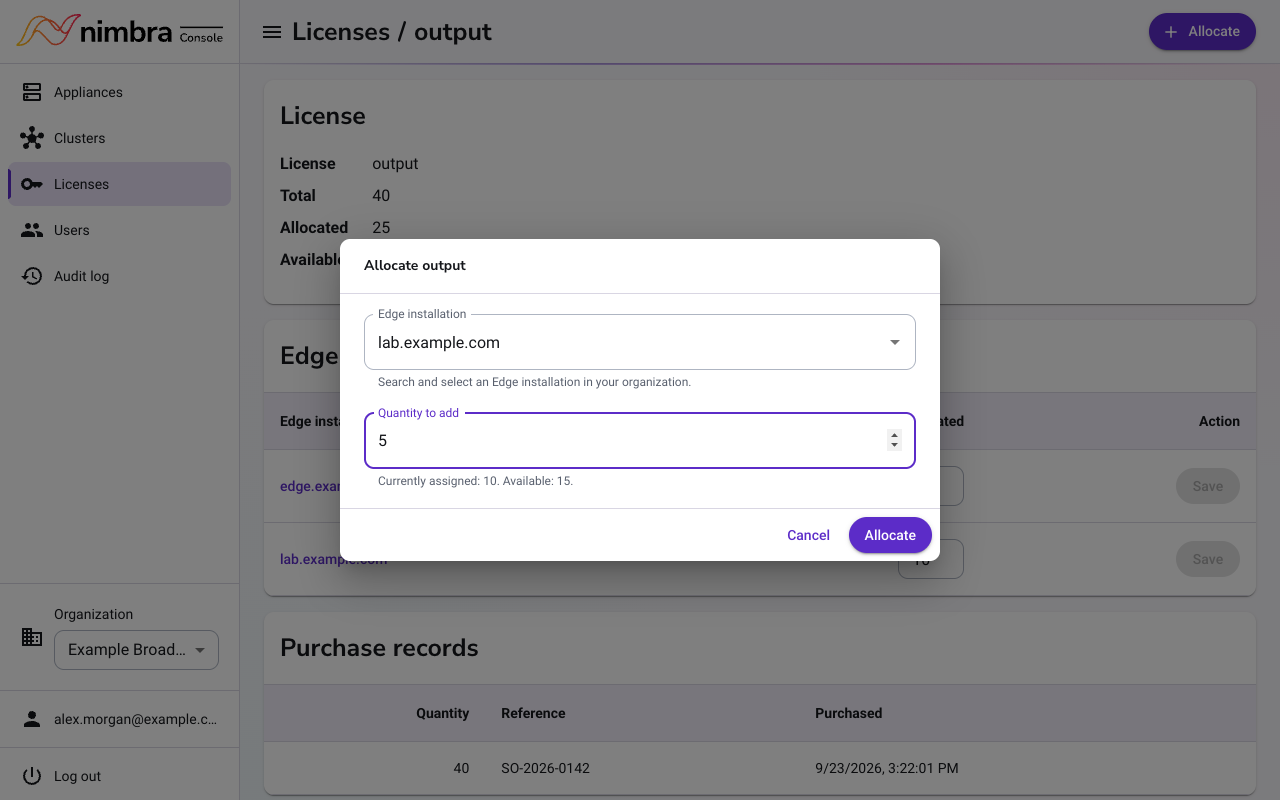
Select Allocate, choose the other cluster in Edge installation, enter the number of RTUs in Quantity to add, and then select Allocate.