How to apply a Nimbra Edge license key #
A Nimbra Edge license key lets you install and run Nimbra Edge. One key is used for one installation.
Get the license key #
-
In Nimbra Console, select Licenses in the menu.
-
Select a license of type Software. The page shows the installations that already use it.
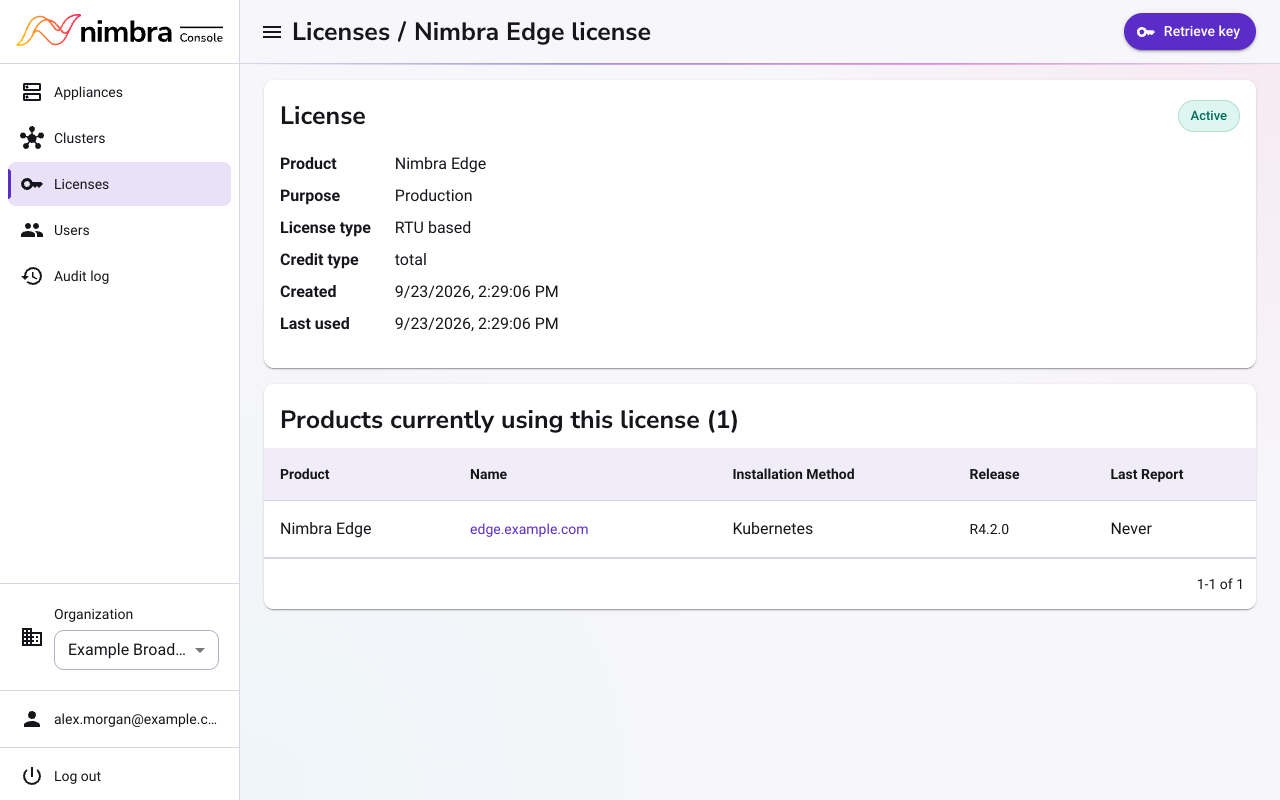
-
Select Retrieve key, and then select Copy key.
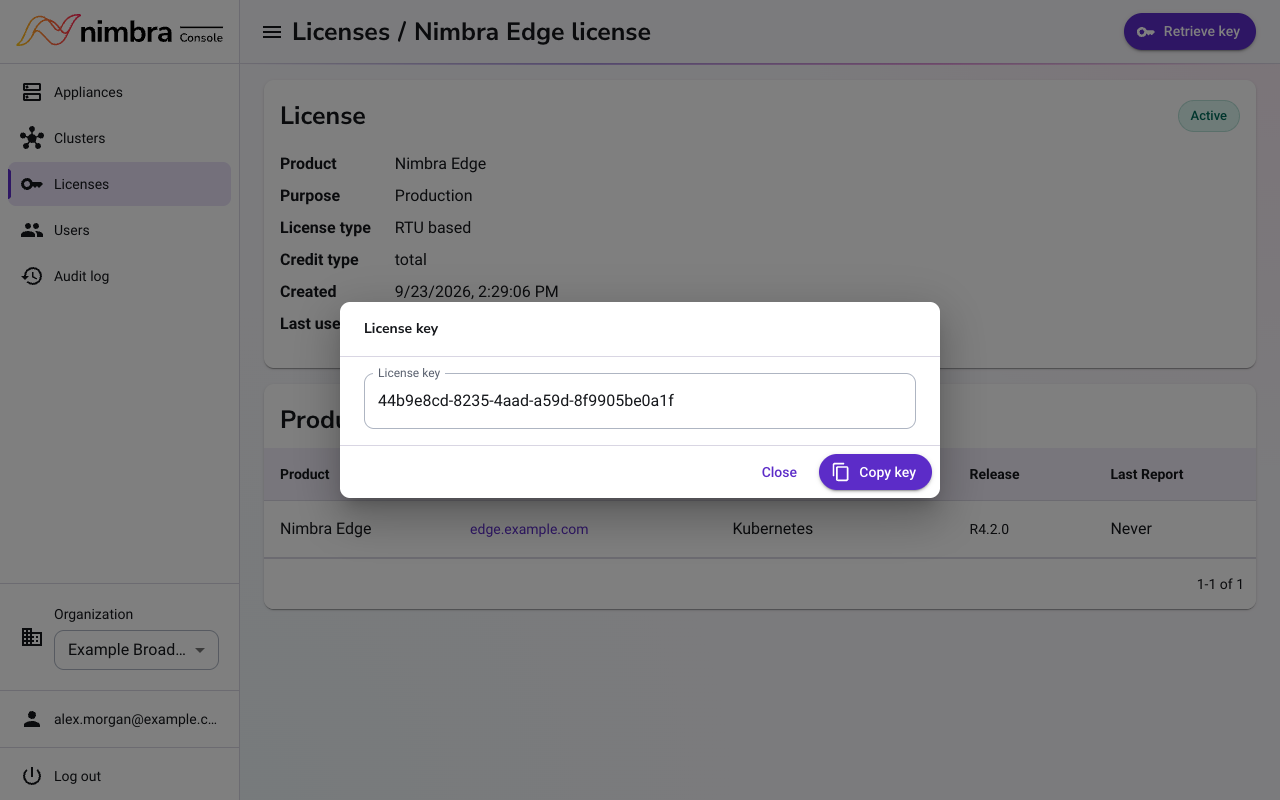
Keep the key private. Anyone with the key can use your license.
Install Nimbra Edge with the key #
On an Edge Core appliance:
- Open the appliance’s web interface and select Nimbra Edge in the menu.
- Paste the key into License Key, fill in the other fields, and select Install.
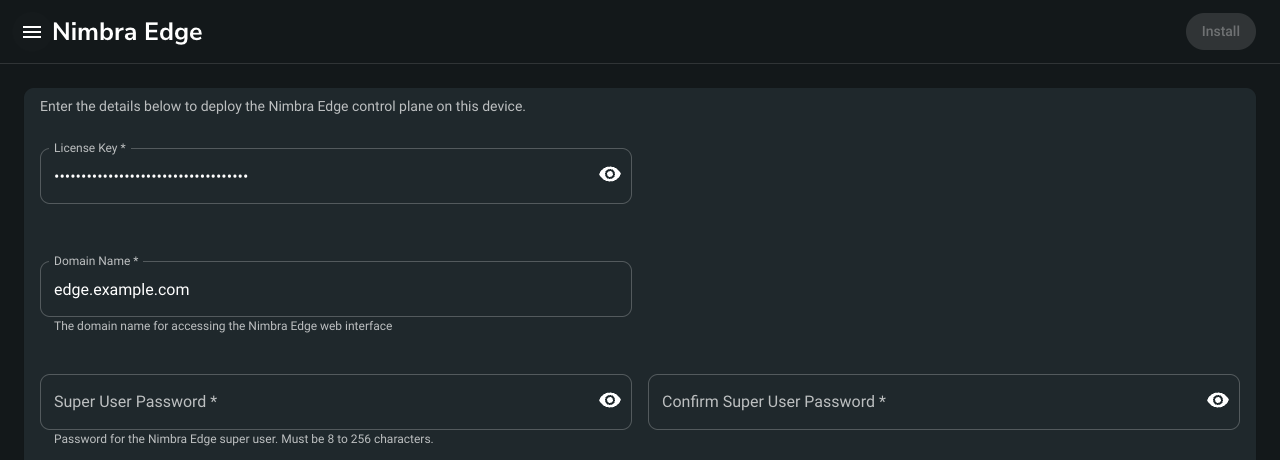
For a Nimbra Edge installation on Kubernetes, add the key to the installer’s install command:
./edge-<release> install --license-key <license-key> <other options>
Change the license key #
On an Edge Core appliance:
- Open the appliance’s web interface and select Nimbra Edge in the menu.
- In the License section, select Edit.
- Paste the new key into New License Key and select Save.
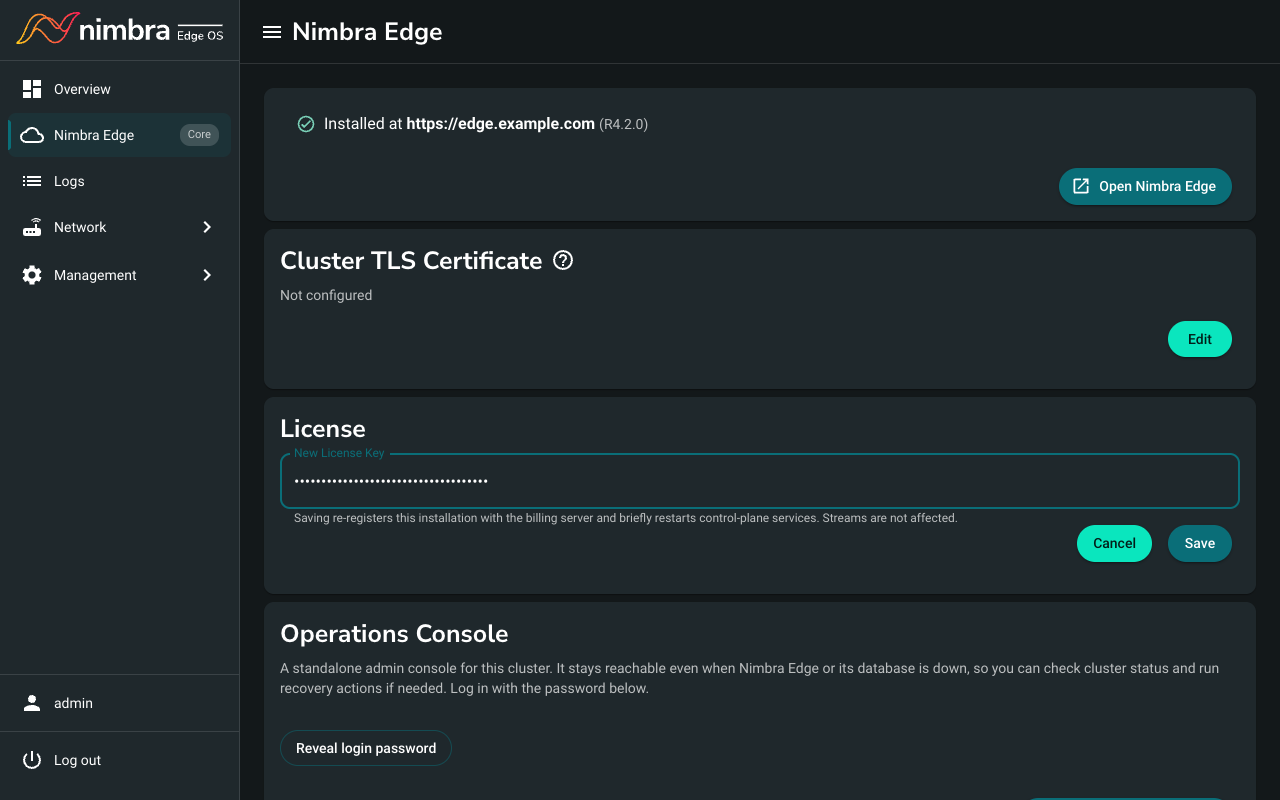
Some services restart for a short time. Streams are not affected.
For a Nimbra Edge installation on Kubernetes, run the installer’s update-license command:
./edge-<release> update-license --new-license-key <license-key>