How to switch a standalone appliance back to Nimbra Edge #
An appliance cannot be in standalone mode and connected to Nimbra Edge at the same time. To manage it from Nimbra Edge again, you first turn off standalone mode and then connect the appliance.
Turning off standalone mode stops and deletes all inputs and outputs on the appliance. To keep them, export the configuration first.
To export the configuration, see Back up a standalone appliance.
Before you start #
You need:
- Administrator access to the appliance’s web interface
- The URL of your Nimbra Edge installation
- An appliance secret. You get it in Network Manager when you add the appliance.
1. Turn off standalone mode #
- Open the appliance’s web interface and go to Management > Standalone.
- Clear Enable standalone mode and select Save.
- Select Disable and delete to confirm.
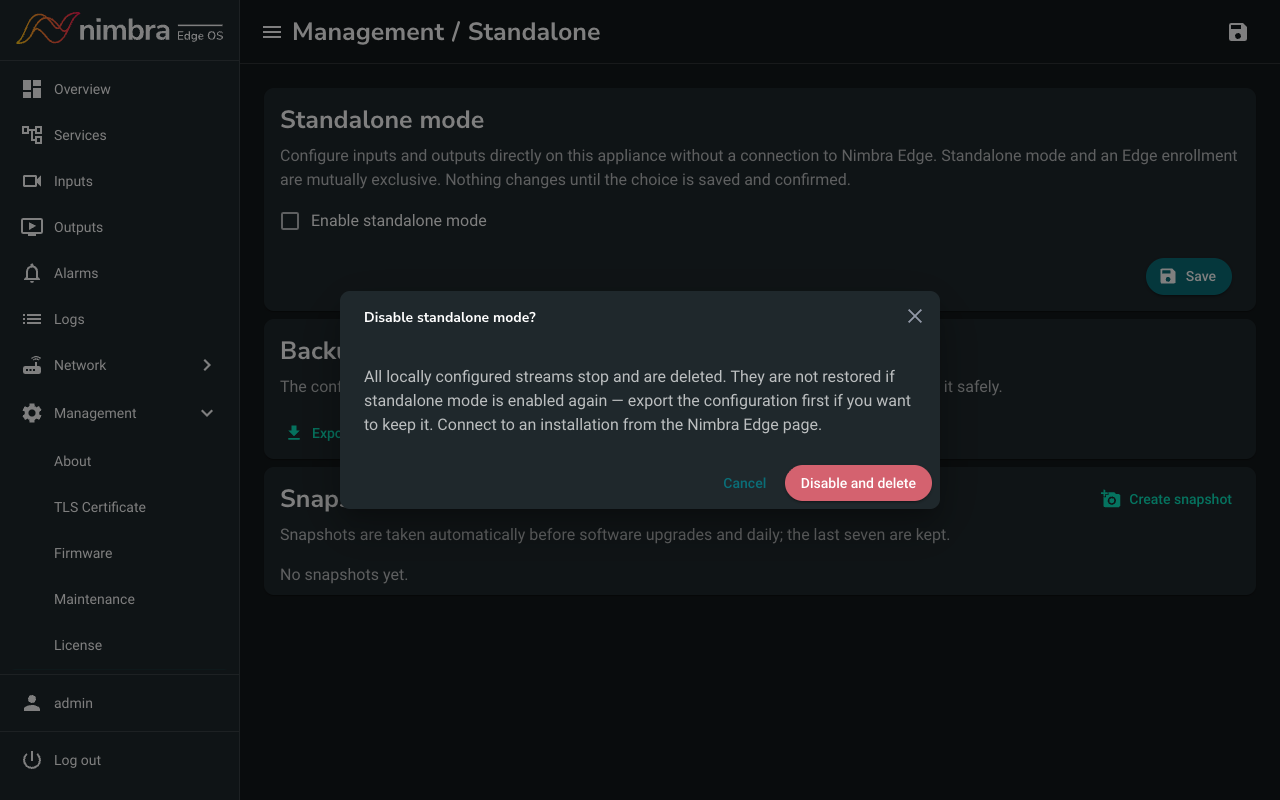
The Edge item appears in the menu again, and Services and Alarms disappear.
2. Connect to Nimbra Edge #
- Select Edge in the menu.
- Enter the Nimbra Edge URL, a Device Name and the Appliance Secret.
- Select Connect to Nimbra Edge.
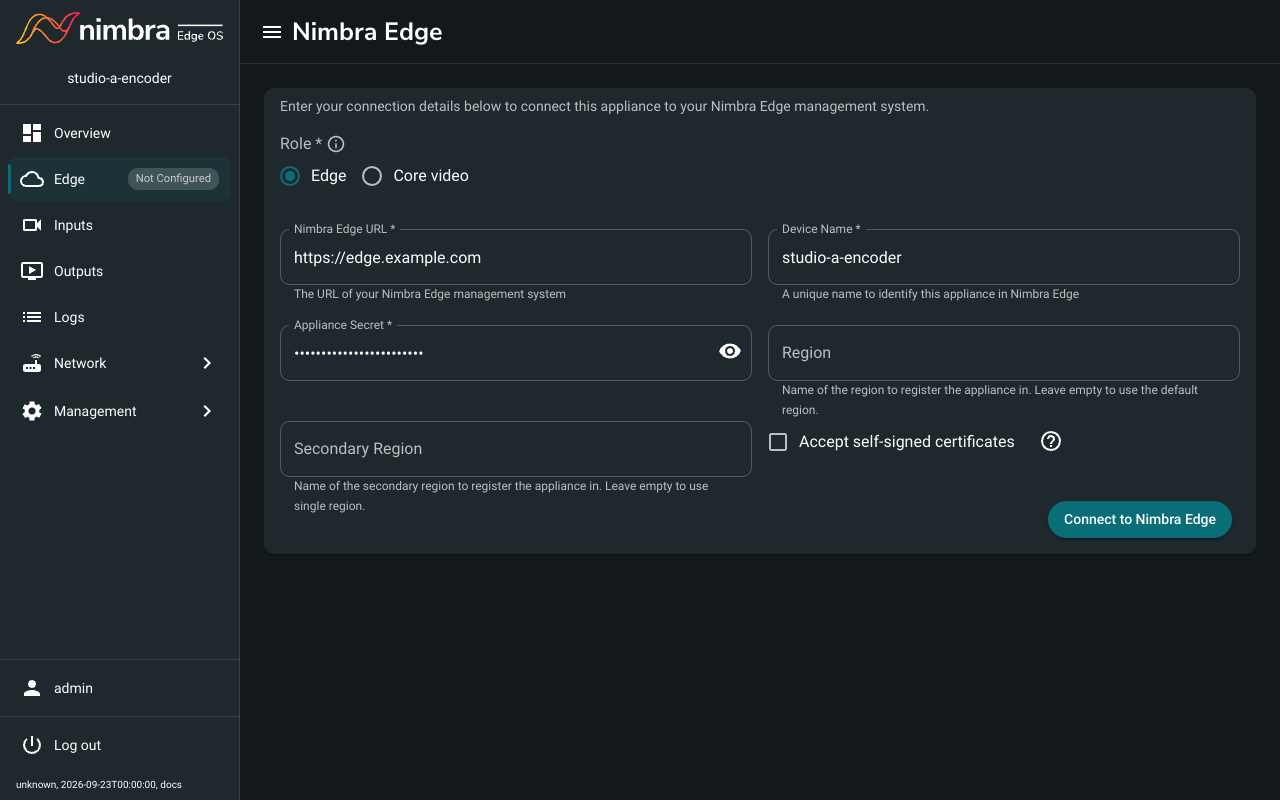
The appliance appears in Network Manager, where you can set up its inputs and outputs. The appliance keeps its licenses, and Nimbra Edge keeps them up to date.