5. Installing an Edge Connect #
Deprecated. The Docker-based Nimbra Edge Core (
connectit install core) is deprecated as of R4.2.0 and will be removed in a later release. It remains supported in R4.2 so that existing installations can be migrated. These pages are kept for existing installations; new installations should follow Get started. To move an existing installation, see Migrate from Docker-based Nimbra Edge.
Edge Connect is a video appliance that is used for ingesting and exporting video streams. In Nimbra Edge one ingests data with an Input and exports data with an Output.
For this tutorial specifically we will use the Edge Connect appliance to generate a test stream.
5.1 Installing the Edge Connect #
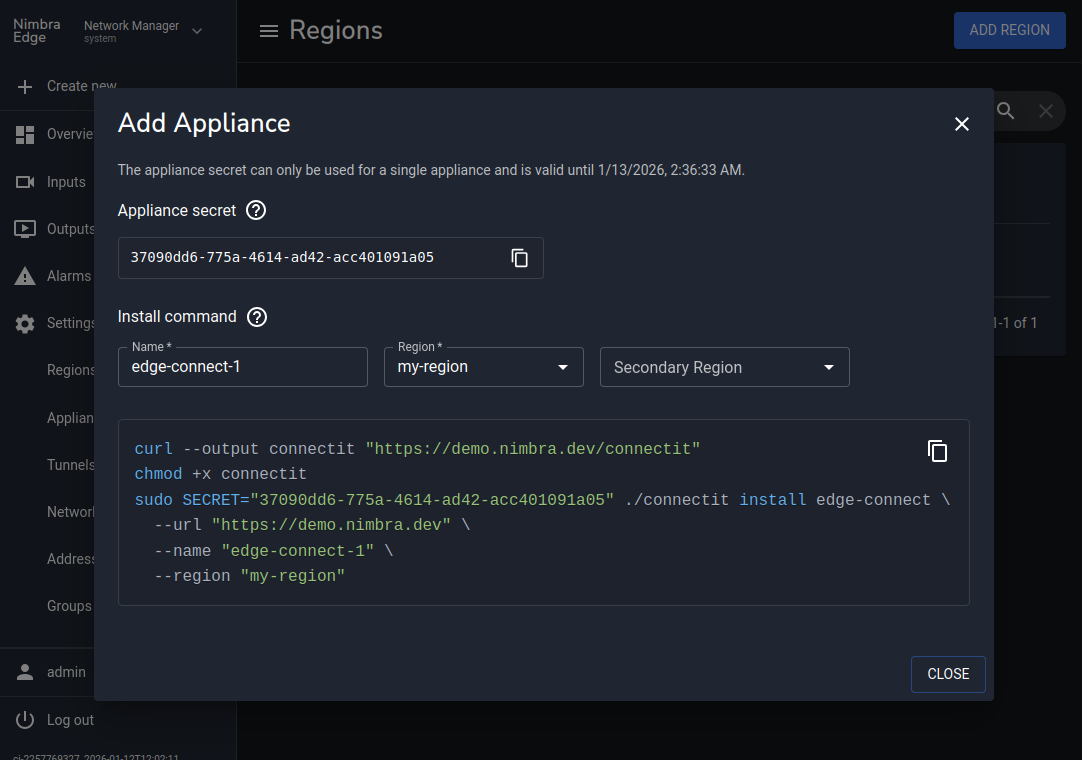
- In Network Manager, click
Create newin the sidebar and selectEdge Appliance - Choose a name (for example
edge-connect-1).Secondary regioncan be left empty - Copy the generated install command and run it on the target machine
If you get
toomanyrequestserrors, try login to Docker Hub.sudo docker login
5.2 Find the appliance in Network Manager #
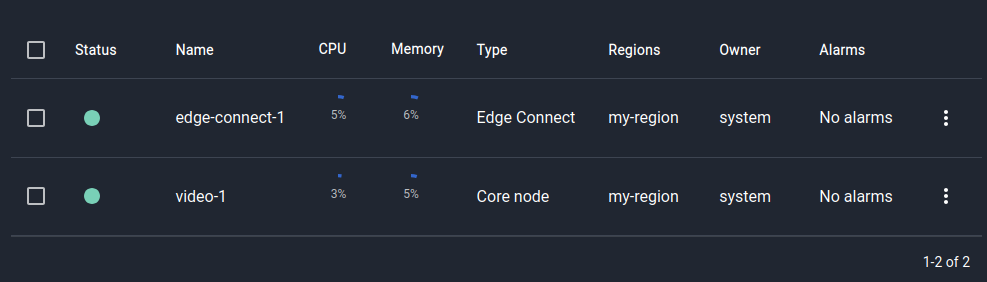
Once the appliance has started it will register itself with Nimbra Edge. It will then be visible under
Appliances under ⚙ Settings.
Navigate to ⚙ Settings → Appliances and ensure the status of the appliance is green: